Ever wonder why an M.2 SSD sometimes feels faster than your old 2.5″ drive? Hint: M.2 is a form factor, not a speed spec. Let’s break down M.2, SATA, NVMe, and what all that means for your PC.
What Is an SSD?
A Solid-State Drive uses flash memory—no moving parts—so it boots fast, stays quiet, and consumes less power.
They come in three major setups now: traditional 2.5″ SATA, M.2 SATA, and M.2 NVMe. Pick the right one depending on your needs.
M.2 Explained
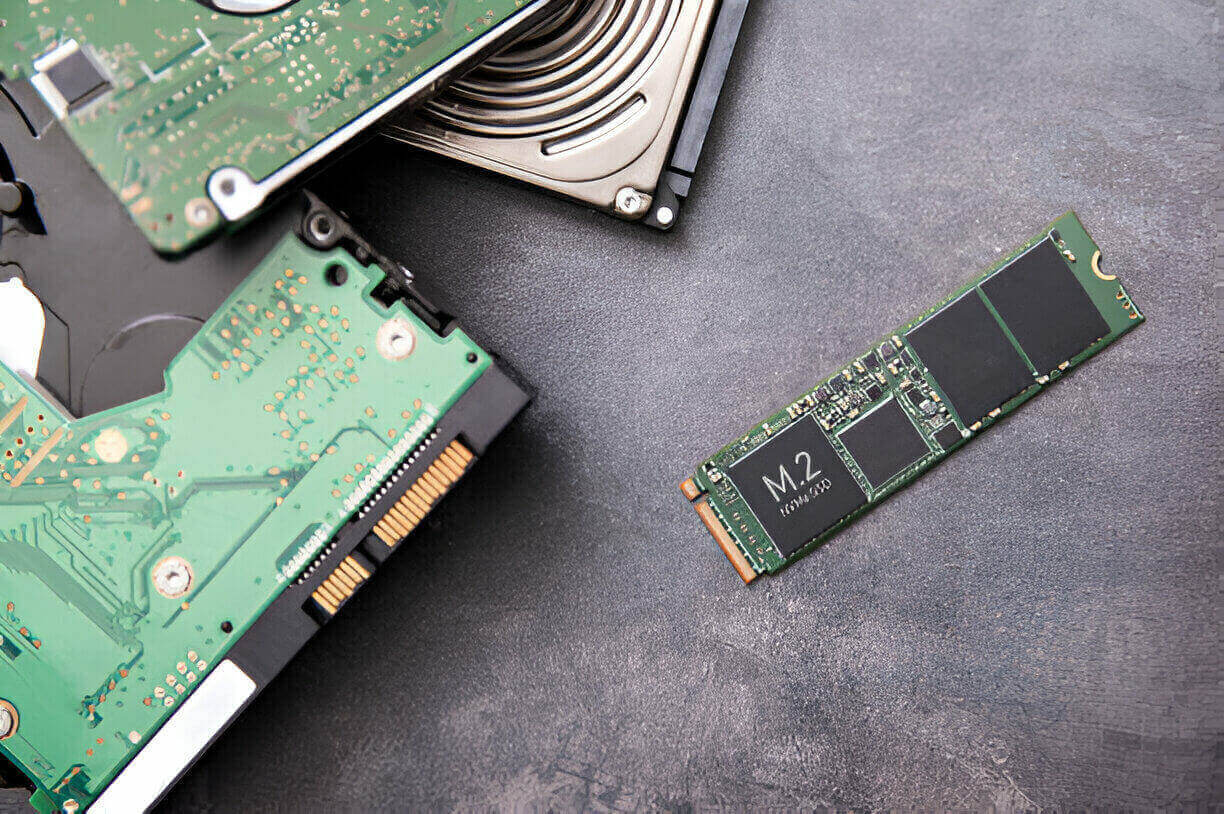
M.2 (pronounced “M-dot-2”) is a tiny PCB that plugs directly into your motherboard—no cables, no fuss.
It can work in 2230, 2242, 2280, or even 22110 sizes. It supports SATA or PCIe lanes.
The keying—B, M, or B+M—not only stops you from inserting it backwards, but also tells you what interface it supports.
SATA SSD: Still Worthwhile?
SATA SSDs use AHCI protocol and cap out at about 600 MB/s—the SATA III limit.
They’re available as 2.5″ drives or in M.2 shape. Both run at the same speed .
Still a great value for office PCs, backups, or budget builds.
NVMe M.2 SSD: Speed Beast
NVMe uses the PCIe protocol, giving it direct lanes to the CPU—no SATA controller bottleneck.
- PCIe 3.0 ×4 drives hit ~3500 MB/s
- PCIe 4.0 pushes to ~7000 MB/s
That’s 6–12× faster than SATA. But most everyday tasks won’t hit full speed. Random reads and small file speeds matter more .
Real‑World vs Benchmarks
Load a game or app, and NVMe opens it slightly faster. The real gain shows in big file moves: backups, 4K video transfers.
As one Reddit user said, “HDD→SSD is night-and-day. SATA→NVMe gives maybe a few seconds faster on load.”
Cost & Capacity in 2025
- SATA SSDs: around $60 for 500 GB, $140 for 1 TB
- NVMe Gen4: ~$220 for 1 TB, $400+ for 2 TB
Prices are closer now. NVMe offers higher capacity and performance for a little extra dough.
Form Factor & Compatibility
M.2 fits space‑tiny builds—no data/power cables needed .
Always check your motherboard: is the M.2 slot SATA, NVMe, or both? Some older boards can’t boot from NVMe.
Choosing the Right SSD
| Use Case | Recommended SSD | Why This Choice |
|---|---|---|
| General use | SATA SSD (2.5″ or M.2) | Cheap, fast enough for office/web use |
| Gaming & productivity | M.2 NVMe PCIe 3.0 | Faster load, responsive multitasking |
| Video/editing or power use | M.2 NVMe PCIe 4.0+ | Handles large files and fast rendering |
| Compact builds (NUC/laptops) | M.2 NVMe | No cables, maximum performance |
| Budget/legacy systems | M.2 SATA or 2.5″ SATA | Compatibility + low cost |
Installation & Setup Tips
- Install your OS on the fastest drive—games and media can go on cheaper ones.
- In BIOS: enable AHCI mode for SATA, and ensure PCIe slot mode for NVMe.
- Use a heatsink on Gen4/5 NVMe—throttling is real when temps get high.
When to Upgrade?
- Still on SATA and experiencing long load times? Upgrade to NVMe.
- On Gen3 NVMe? Unless you need faster writes, stick with it or go bigger.
- Running low on space? Add another SATA drive or move old files to external drives/cloud.
The Verdict
M.2 is a form factor. What matters is interface: SATA or NVMe. NVMe is faster, cable-free, and eventually affordable. SATA remains a solid budget and older-system option.
Mixing a fast OS drive with a spacious, cheap second drive is often the best trade-off.


 By
By